BioDecode Usage Guide
Everything you need to analyze your genome locally.
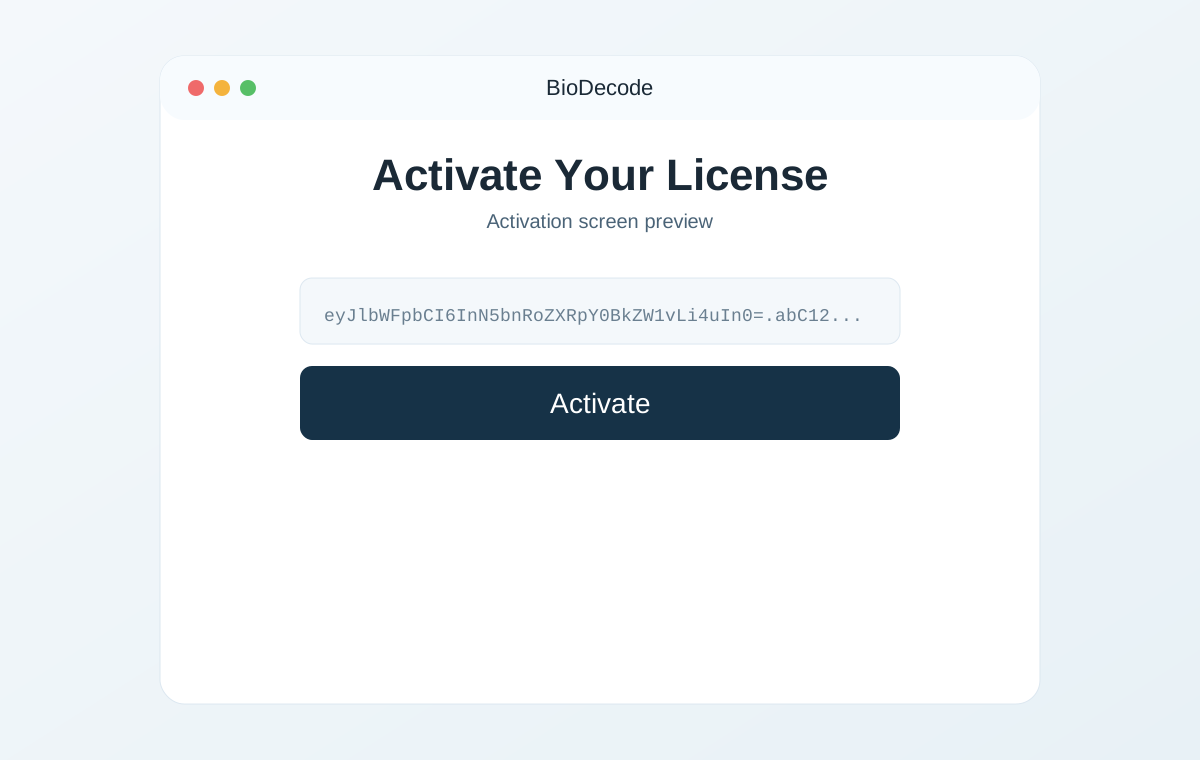
1. Activate in under 10 seconds
Paste your key you receive in your email and continue.
Contents
1. System Requirements
| Requirement | Details |
|---|---|
| Operating System | macOS 12+ (Apple Silicon or Intel), Windows 10+ |
| RAM | 4 GB minimum, 8 GB recommended |
| Disk Space | ~2 GB (ClinVar database + application) |
| Internet | Required only for initial ClinVar database download (~400 MB) |
2. Installation & Activation
Step 1: Download
After purchase at biodecode.io, you'll receive a license key by email with download links.
Step 2: Install
- macOS: Open the
.dmgfile and drag BioDecode to your Applications folder. - Windows: Run the
.exeinstaller and follow the prompts.
Step 3: Activate Your License
On first launch, paste the license key from your email and click Activate.
One-time purchase, no subscription. Your license key never expires and works on any of your personal machines. No account creation needed.
3. First Launch & Database Setup
On first launch, BioDecode walks you through a one-time ClinVar setup and handles the processing automatically:
- Download — BioDecode downloads ~400 MB of ClinVar variant data from NCBI (the National Center for Biotechnology Information)
- Build — It processes the ClinVar source file and builds your local SQLite database. This typically takes about 60-90 seconds.
- Ready — Once complete, you'll see the file drop zone and the green "ClinVar database ready" indicator in the header.
You'll see a progress log showing every step in real time. No manual intervention needed.
All data stays on your machine. The ClinVar database is stored in BioDecode's local app data on your device. Your genomic data is never uploaded anywhere.
4. Analyzing Your Genome File
Once the database is ready, you can analyze your genome:
- Drag and drop your genome file onto the drop zone, or click Browse Files to select it.
- Watch the progress — BioDecode parses your variants, matches them against ClinVar, and generates reports. Runtime depends on file type and size (whole-genome VCF files are typically the largest).
- View your report — The full HTML report appears directly in the app, with interactive tables linking to ClinVar and dbSNP.
BioDecode will:
- Parse variants from your genome file
- Look up each variant against the local ClinVar database
- Categorize matches by clinical significance
- Generate a detailed report with links to ClinVar entries
Supported formats: .vcf, .vcf.gz, .txt, .txt.gz, .csv, .csv.gz, .tsv, .tsv.gz, plus .zip archives containing exactly one supported genome file.
5. Understanding Your Report
Your report appears inline in the app, with actions in the results toolbar for copying and export.
In-App Report
The full interactive report displays directly in BioDecode. It includes summary statistics, variant tables for each significance category, and clickable links to ClinVar and dbSNP. You can use Save as PDF to export it.
Copy Report to Clipboard
Use Copy report to clipboard to copy a de-identified Markdown report you can paste into notes or an LLM for plain-language interpretation.
Significance Categories
| Category | Meaning |
|---|---|
| Pathogenic | Variant is classified as disease-causing in ClinVar |
| Likely Pathogenic | Strong evidence of being disease-causing, but not definitive |
| Uncertain Significance (VUS) | Not enough evidence to classify as pathogenic or benign |
| Drug Response | Affects how you metabolize or respond to specific medications |
| Risk Factor | Associated with increased risk for a condition |
| Conflicting | Different labs have submitted conflicting classifications |
| Likely Benign / Benign | Variant is not expected to cause disease |
ClinVar Star Ratings
| Stars | Meaning |
|---|---|
| ★★★★ | Practice guideline |
| ★★★☆ | Reviewed by expert panel |
| ★★☆☆ | Multiple submitters, no conflicts |
| ★☆☆☆ | Single submitter |
| ☆☆☆☆ | No assertion criteria provided |
Important: Higher star ratings indicate stronger evidence. Variants with 0 stars should be interpreted with caution — they may be submitted without supporting evidence. Always prioritize findings with 2+ stars.
Zygosity
- Heterozygous (Het): You carry one copy of the variant. For autosomal recessive conditions, being heterozygous typically means you are a carrier but unaffected.
- Homozygous (Hom): You carry two copies of the variant. This is more likely to have a phenotypic effect, especially for recessive conditions.
6. Updating the ClinVar Database
ClinVar is updated weekly by NCBI. To get the latest variant classifications:
- Open Settings (gear icon in the top-right corner)
- Click Re-download from ClinVar to fetch the latest ClinVar data and rebuild your local database
- Or click Rebuild from Local Source to rebuild using your existing downloaded ClinVar source file
This is free — ClinVar data is in the public domain (NCBI policy).
7. Frequently Asked Questions
What genome file formats are supported?
BioDecode supports .vcf, .vcf.gz, .txt, .txt.gz, .csv, .csv.gz, .tsv, .tsv.gz, and .zip archives with one supported genome file inside.
Does BioDecode work with GRCh37 (hg19)?
Yes. For VCF files with assembly metadata, BioDecode auto-detects GRCh37 vs GRCh38. GRCh38 is the default database. If a GRCh37 VCF is detected and the GRCh37 database is missing, BioDecode builds it automatically (one-time) from the same ClinVar source file.
Does my data leave my computer?
No. BioDecode processes everything locally. The only network activity is the initial download of ClinVar data from NCBI's public FTP server. Your genome file and reports never leave your machine.
Can I use BioDecode with 23andMe or AncestryDNA data?
Yes. BioDecode supports 23andMe-style and Ancestry-style raw genotype text exports (TXT/CSV/TSV, including .gz and ZIP-wrapped files).
How should I interpret pathogenic variants?
A "pathogenic" classification in ClinVar means that variant has been reported as disease-causing by clinical laboratories. However, context matters:
- Check the star rating — higher stars = stronger evidence
- Check the zygosity — heterozygous carriers of recessive variants are typically unaffected
- Check the condition — some conditions are adult-onset, some are variable in severity
- Always consult a genetic counselor for interpretation of significant findings
What if I find something concerning?
Do not panic. Many people carry pathogenic variants without being affected, especially for recessive conditions (where you need two copies). The most important steps are:
- Note the gene, variant, and star rating
- Schedule an appointment with a genetic counselor
- They may recommend confirmatory testing through a CLIA-certified lab
- Do not make medical decisions based on BioDecode reports alone
Can I run BioDecode on multiple computers?
Yes. Your license key works across your personal machines.
Where can I get help?
Contact us at hello@biodecode.io for technical issues with the software.